> ## Documentation Index
> Fetch the complete documentation index at: https://docs.zazubot.com/llms.txt
> Use this file to discover all available pages before exploring further.
# Subscription
## Upgrade plan
In order to upgrade your workspace plan and increase your monthly limits, you need to open the `Settings & Members` modal in your homepage and navigate on the `Billing & Usage` tab.
This tab displays your bots total usage, your current plan and paid invoices.
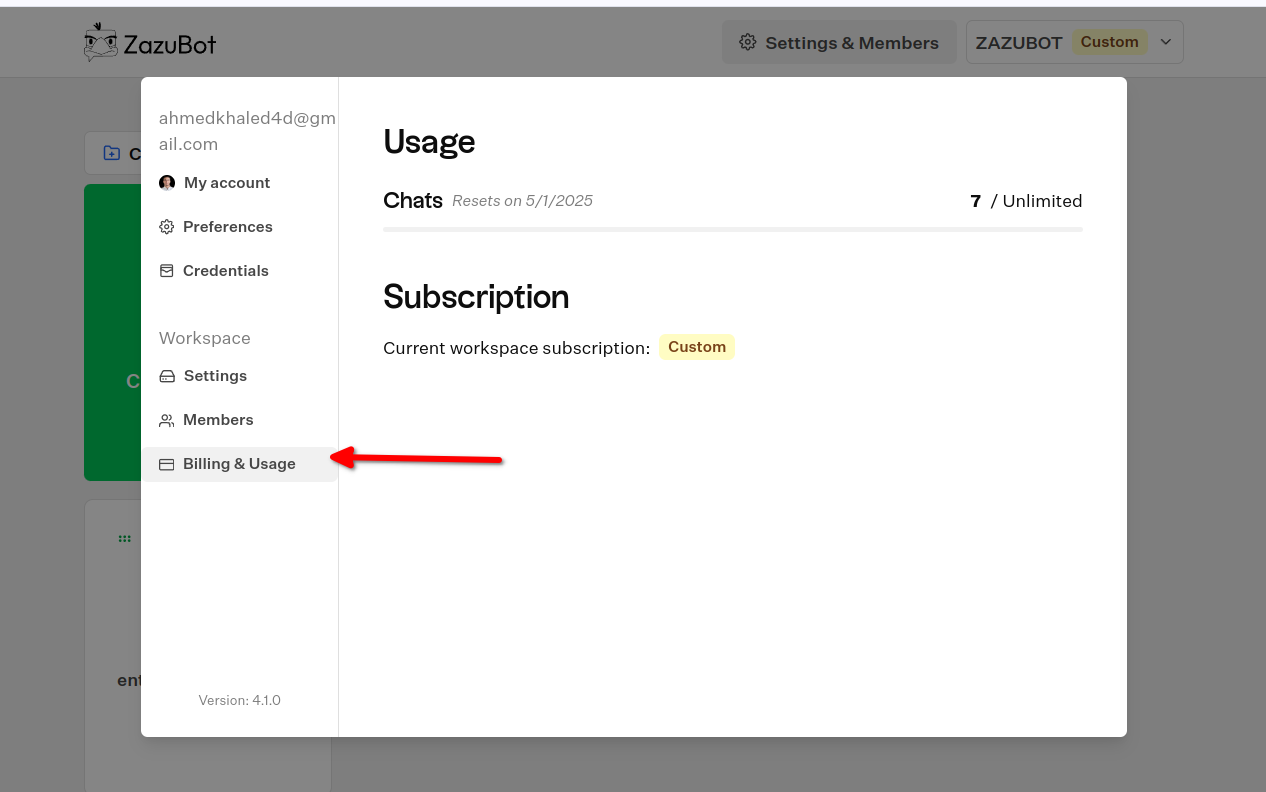 You can choose to upgrade to your desired plan here.
## Cancel plan
In order to cancel your workspace plan, you need to open the `Settings & Members` modal in your homepage and navigate on the `Billing & Usage` tab.
There, you should see a `Billing portal` button. Clicking on it will redirect you to the billing portal where you can manage and cancel your subscription.
You can choose to upgrade to your desired plan here.
## Cancel plan
In order to cancel your workspace plan, you need to open the `Settings & Members` modal in your homepage and navigate on the `Billing & Usage` tab.
There, you should see a `Billing portal` button. Clicking on it will redirect you to the billing portal where you can manage and cancel your subscription.