> ## Documentation Index
> Fetch the complete documentation index at: https://docs.zazubot.com/llms.txt
> Use this file to discover all available pages before exploring further.

# Buttons

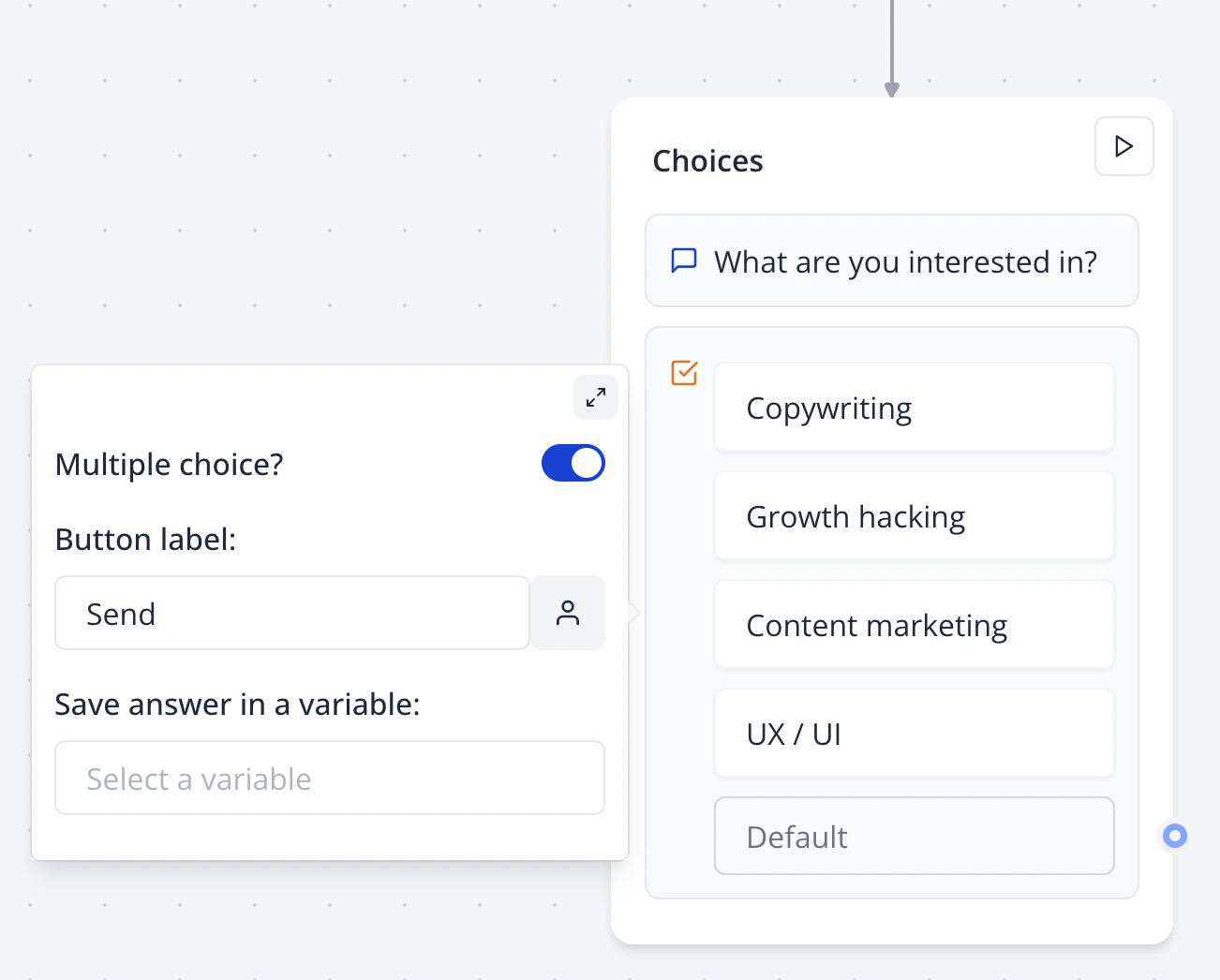
The Buttons input block allows you to offer your user predefined choices, either single choice options or multiple choices

## Single choice

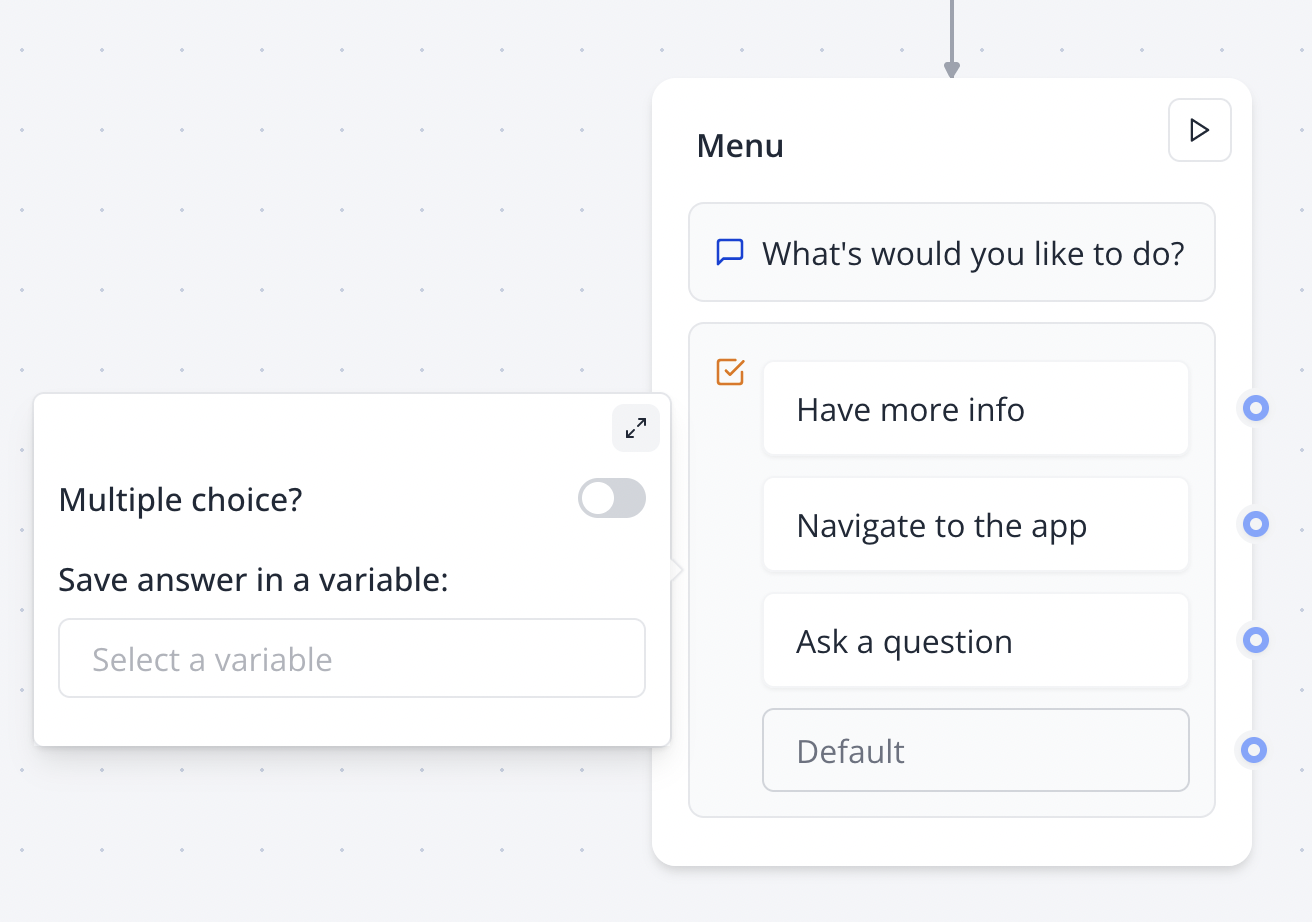
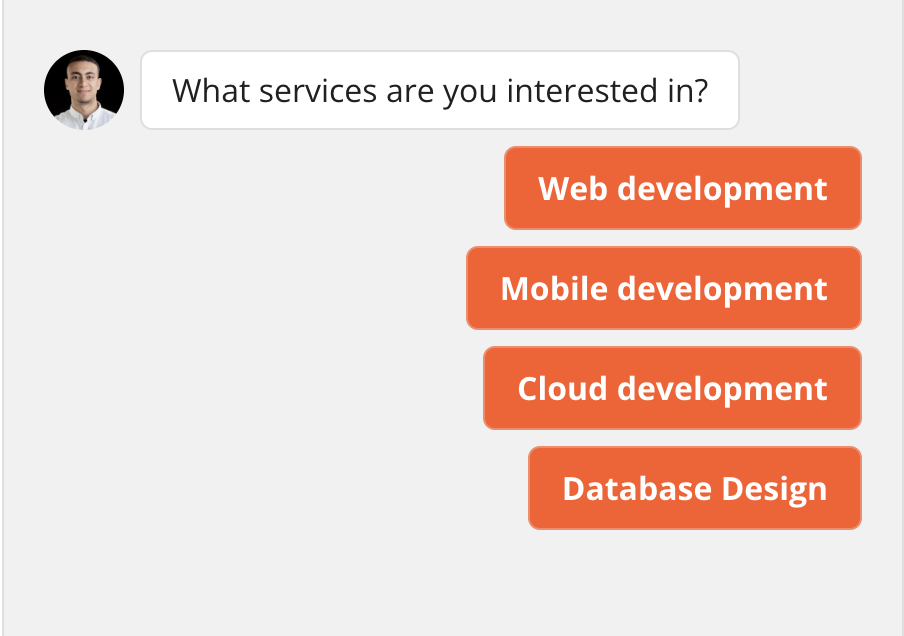
Single choice input allows you to directly split your flow depending on what the user selects by linking any choice to a specific path in your flow.

Link the "Default" item to determine the default path independent of what the user chooses.

<Tabs>
  <Tab title="Flow">
    <Frame>
      <img src="https://mintcdn.com/zazubot/jkWiMkcCk4qiEvi7/images/blocks/inputs/single-choice-flow.png?fit=max&auto=format&n=jkWiMkcCk4qiEvi7&q=85&s=23b474232727cd9cf85e0c7fe3e56c97" alt="Buttons input in flow" className="rounded-lg" width="1312" height="922" data-path="images/blocks/inputs/single-choice-flow.png" />
    </Frame>
  </Tab>

  <Tab title="Bot">
    <Frame>
      <img src="https://mintcdn.com/zazubot/jkWiMkcCk4qiEvi7/images/blocks/inputs/single-choice-bot.png?fit=max&auto=format&n=jkWiMkcCk4qiEvi7&q=85&s=1985ffac4e7d5c3273db644425525328" alt="Buttons input in bot" className="rounded-lg" width="904" height="636" data-path="images/blocks/inputs/single-choice-bot.png" />
    </Frame>
  </Tab>
</Tabs>

## Multiple choices

<Tabs>
  <Tab title="Flow">
    <Frame>
      <img src="https://mintcdn.com/zazubot/jkWiMkcCk4qiEvi7/images/blocks/inputs/multiple-choices-flow.png?fit=max&auto=format&n=jkWiMkcCk4qiEvi7&q=85&s=e93f24a7d7b715305df84e4d926ec2e4" alt="Multiple choices in flow" className="rounded-lg" width="1302" height="1046" data-path="images/blocks/inputs/multiple-choices-flow.png" />
    </Frame>
  </Tab>

  <Tab title="Bot">
    <video controls autoPlay className="rounded-lg" src="https://mintcdn.com/zazubot/jkWiMkcCk4qiEvi7/images/blocks/inputs/multiple-choices-bot.mp4?fit=max&auto=format&n=jkWiMkcCk4qiEvi7&q=85&s=9a5f3d88068dce7cf968ab847897ab2f" data-path="images/blocks/inputs/multiple-choices-bot.mp4" />
  </Tab>
</Tabs>

## Dynamic items

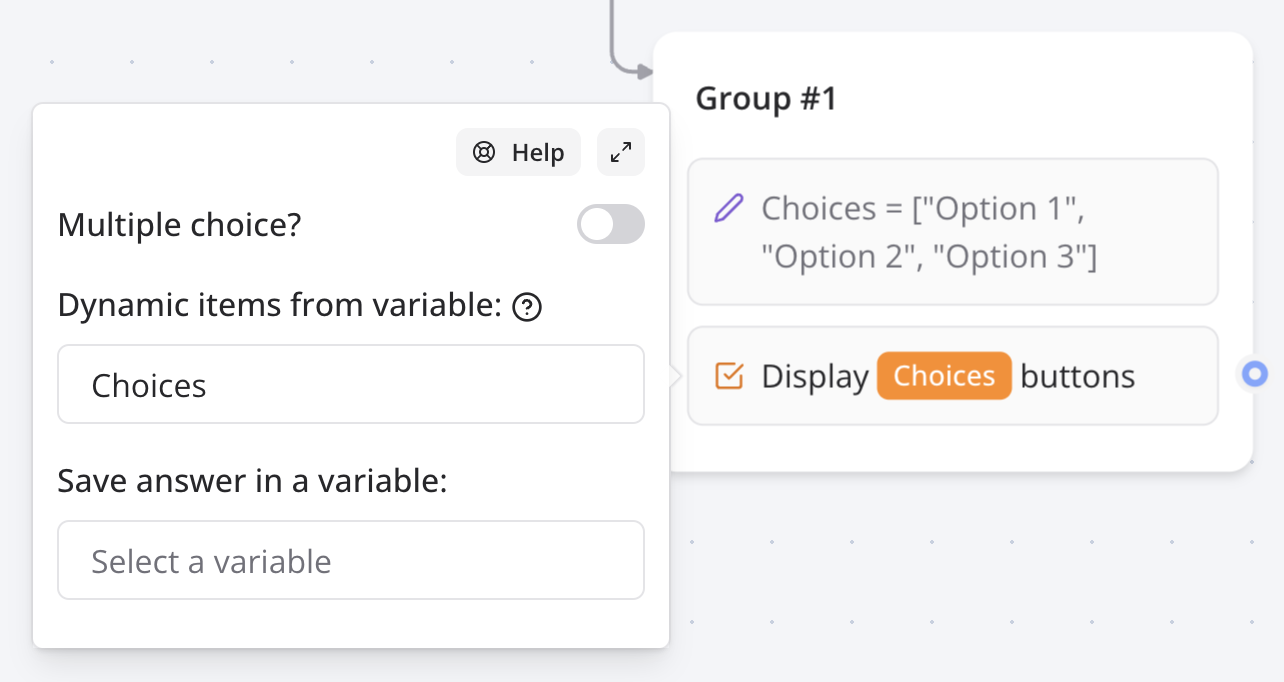
Instead of adding items manually, you can also display a dynamic list of items based on a variable.

<Frame>
  <img src="https://mintcdn.com/zazubot/jkWiMkcCk4qiEvi7/images/blocks/inputs/buttons-dynamic.png?fit=max&auto=format&n=jkWiMkcCk4qiEvi7&q=85&s=65bb5273dca15c347c8eb2b2b978ea8c" alt="Dynamic items list" width="1284" height="682" data-path="images/blocks/inputs/buttons-dynamic.png" />
</Frame>

This is useful when you want to display a list of items from another data source. For this to work, you first need to make sure the variable you are using contains a list of values. This list can be extracted from an integration block like Google Sheets.

## How to

### Add a "Other" button

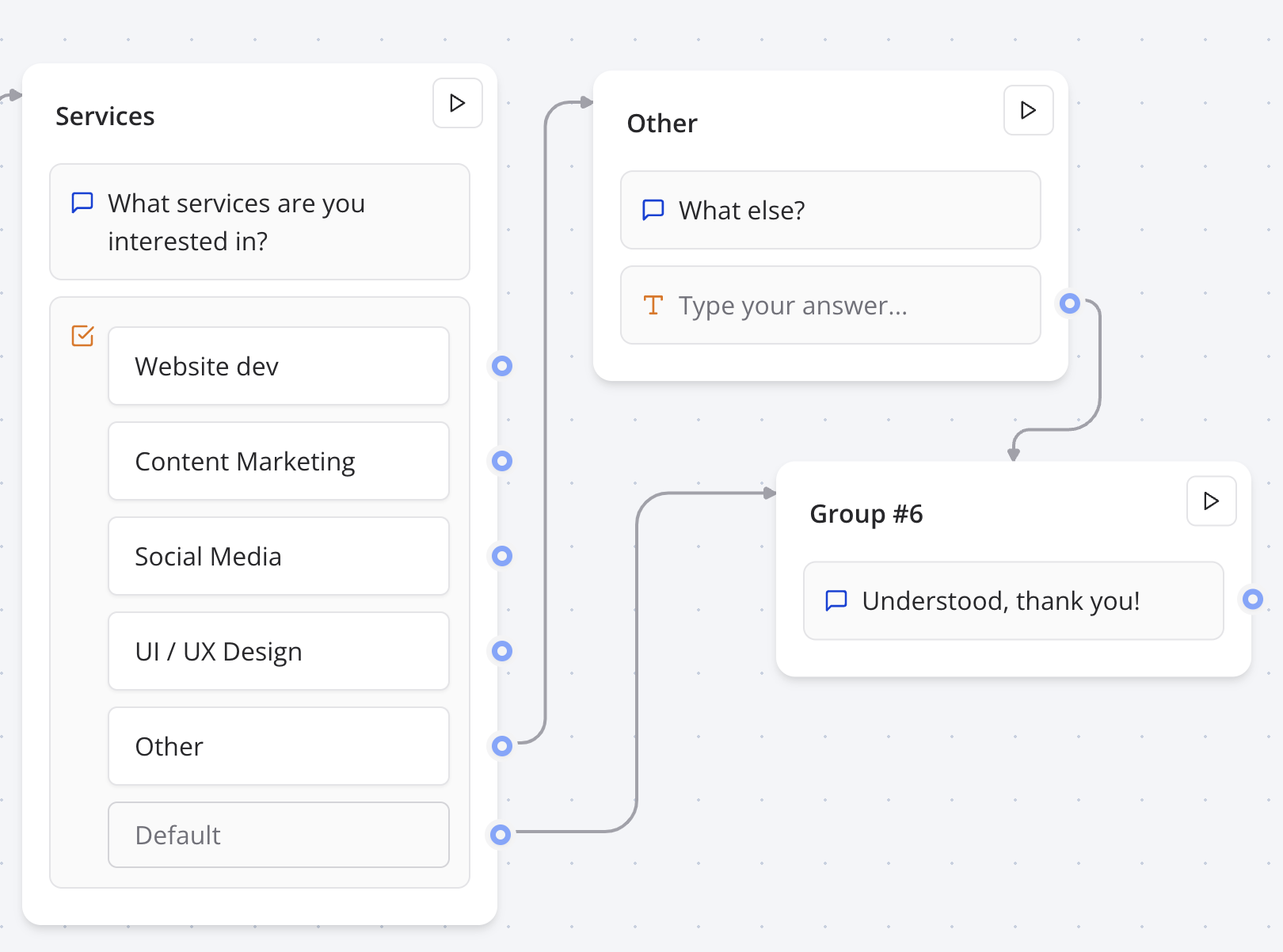
Sometimes you want to allow your user to enter a value that is not in the predefined choices. You can do this by adding a "Other" button and connect it to a "Text" input block.
<Frame>
  <img src="https://mintcdn.com/zazubot/jkWiMkcCk4qiEvi7/images/blocks/inputs/buttons-other.png?fit=max&auto=format&n=jkWiMkcCk4qiEvi7&q=85&s=1553a75e5924f5e85aecb8e46e569751" alt="Other button flow" width="1620" height="1202" data-path="images/blocks/inputs/buttons-other.png" />
</Frame>

### Different replies based on multiple choices

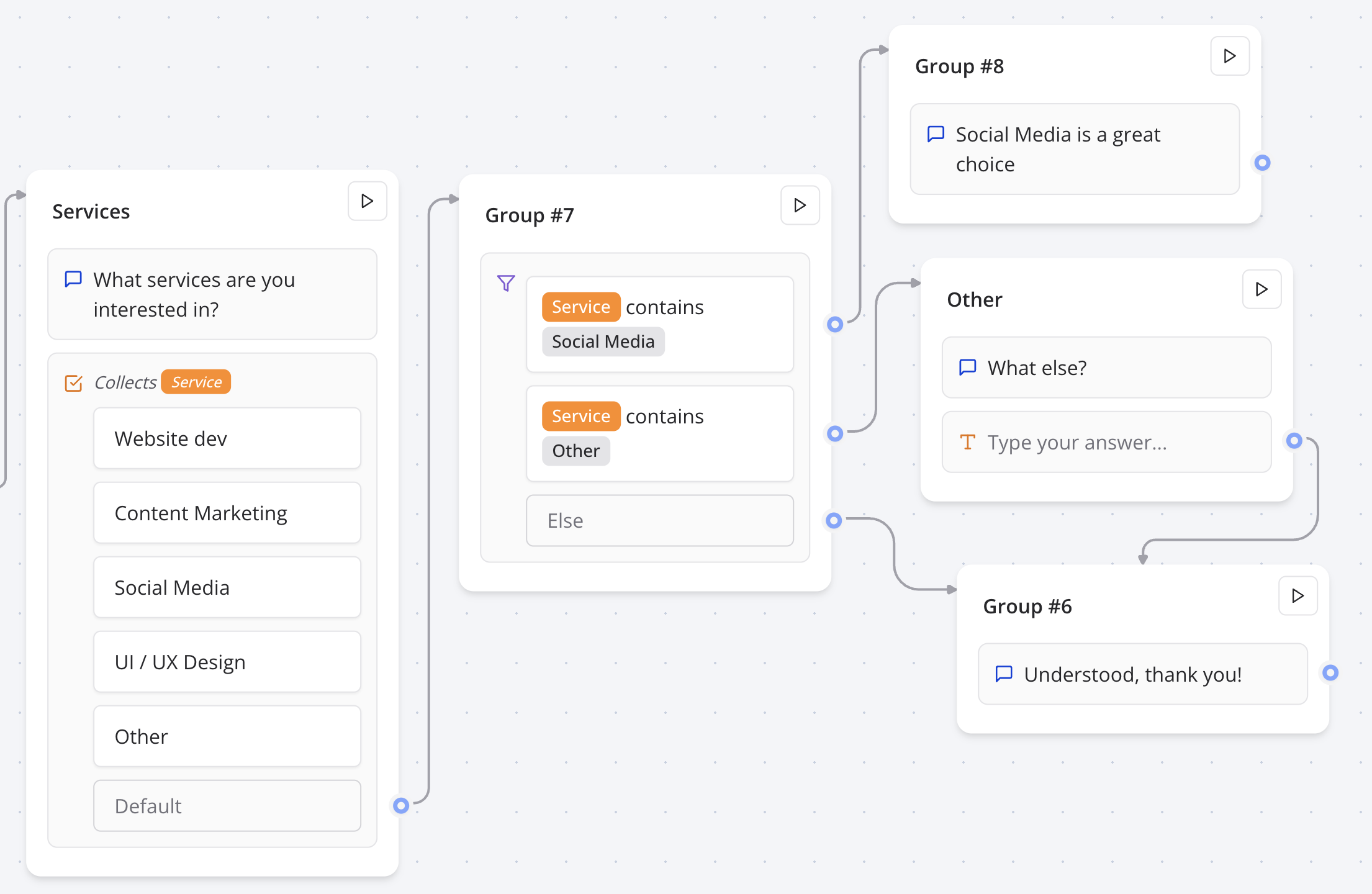
If you'd like to have different replies based on the multiple choices the user selects. You will need to

1. Save the answer into a variable.
2. Add a "Condition" block
3. Add comparisons based on the value of this variable
<Frame>
  <img src="https://mintcdn.com/zazubot/jkWiMkcCk4qiEvi7/images/blocks/inputs/buttons-condition.png?fit=max&auto=format&n=jkWiMkcCk4qiEvi7&q=85&s=191c03902dd34ca427a69cb2d98e38c7" alt="Condition multiple button flow" width="2210" height="1440" data-path="images/blocks/inputs/buttons-condition.png" />
</Frame>

### Conditionally display a certain button

<div className="relative" style={{ paddingBottom: "64.5933014354067%" }}>
  <iframe src="https://www.youtube.com/embed/DqExIPl21dY" allowFullScreen className="absolute top-0 left-0 w-full h-full" />
</div>
