> ## Documentation Index
> Fetch the complete documentation index at: https://docs.zazubot.com/llms.txt
> Use this file to discover all available pages before exploring further.

# Text

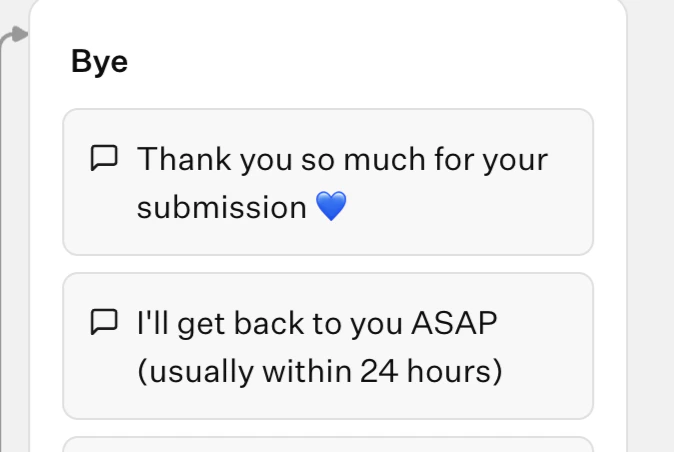
The Text bubble block allows you to display a simple text bubble to your user. They can be chained and it will create a smooth animation:
<Tabs>
  <Tab title="Flow">
    <Frame style={{ maxWidth: '400px' }}>
      <img src="https://mintcdn.com/zazubot/jkWiMkcCk4qiEvi7/images/blocks/bubbles/3-text-bubbles.png?fit=max&auto=format&n=jkWiMkcCk4qiEvi7&q=85&s=f57e55b402a15e9c78a5fbf174ea8036" alt="Text bubbles" className="rounded-lg" width="674" height="452" data-path="images/blocks/bubbles/3-text-bubbles.png" />
    </Frame>
  </Tab>

  <Tab title="Bot">
    <video controls autoPlay className="rounded-lg" src="https://mintcdn.com/zazubot/jkWiMkcCk4qiEvi7/images/blocks/bubbles/3-text-bubbles-chat.mp4?fit=max&auto=format&n=jkWiMkcCk4qiEvi7&q=85&s=20c9592b0bb34cdec73bebb218b40e3e" data-path="images/blocks/bubbles/3-text-bubbles-chat.mp4" />
  </Tab>
</Tabs>

## Insert a link

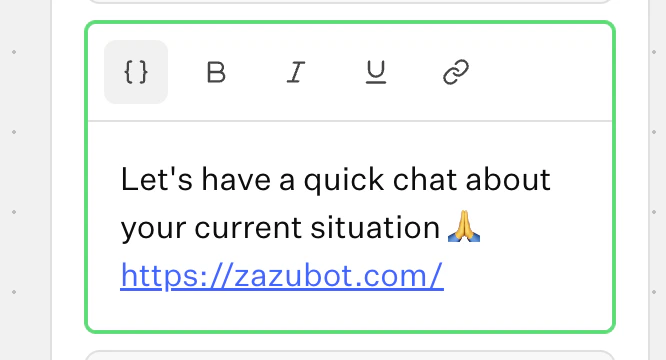
You can insert a link in your text bubbles using the link icon in the editor:
<Frame style={{ maxWidth: '400px' }}>
  <img src="https://mintcdn.com/zazubot/jkWiMkcCk4qiEvi7/images/blocks/bubbles/text-link.png?fit=max&auto=format&n=jkWiMkcCk4qiEvi7&q=85&s=99619c371718dd071186b06273abab90" alt="Text link icon" width="666" height="360" data-path="images/blocks/bubbles/text-link.png" />
</Frame>

You can insert any links starting with `http:`, `https:`, `mailto:`, `tel:` or `sms:`. It can also be a variable.
