> ## Documentation Index
> Fetch the complete documentation index at: https://docs.zazubot.com/llms.txt
> Use this file to discover all available pages before exploring further.
# Authentication
Some API endpoints are protected, and therefore require that you authenticate using an API token.
## Generate a token
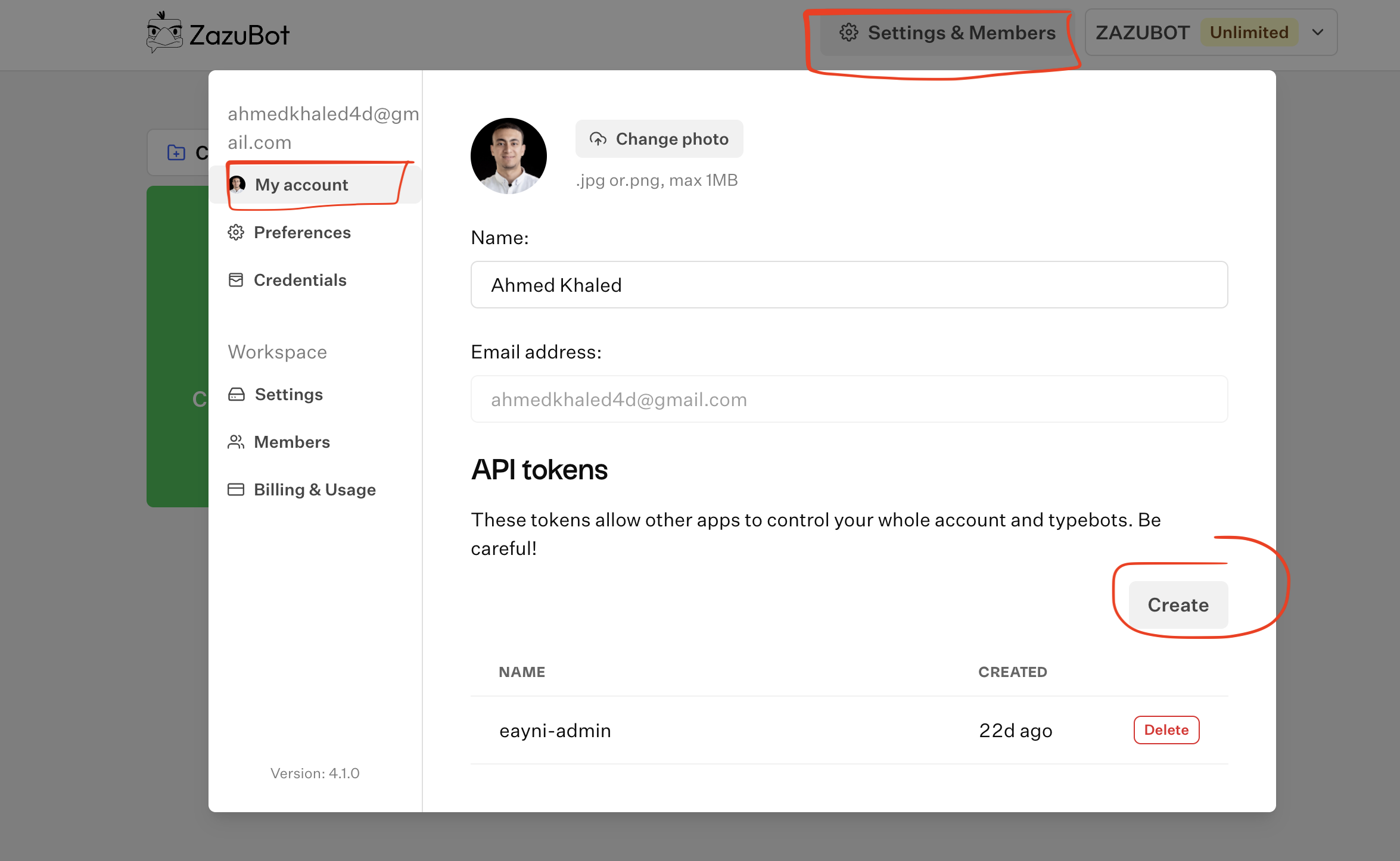
1. Navigate to your zazubot dashboard
2. Click on Settings & Members > My account
3. Under the "API tokens" section, click on "Create"
4. Give it a name, then click on "Create token"
5. Copy your token.
 ## Use your token
You can authenticate by adding an `Authorization` header to all your HTTP calls. The Authorization header is formatted as such: `Authorization: Bearer ` (replace `` with your token previously generated).
Example:
```sh theme={null}
curl -L -X GET 'https://app.zazubot.com/api/typebots/:typebotId/results' \
-H 'Accept: application/json' \
-H 'Authorization: Bearer myAwesomeToken'
```
## Use your token
You can authenticate by adding an `Authorization` header to all your HTTP calls. The Authorization header is formatted as such: `Authorization: Bearer ` (replace `` with your token previously generated).
Example:
```sh theme={null}
curl -L -X GET 'https://app.zazubot.com/api/typebots/:typebotId/results' \
-H 'Accept: application/json' \
-H 'Authorization: Bearer myAwesomeToken'
```